How add a block after an event twig
This post is available in frenchWe will add a block just after the Sylius logo, the blue line represents the logo in the DOM and the red arrow is where we will add the block
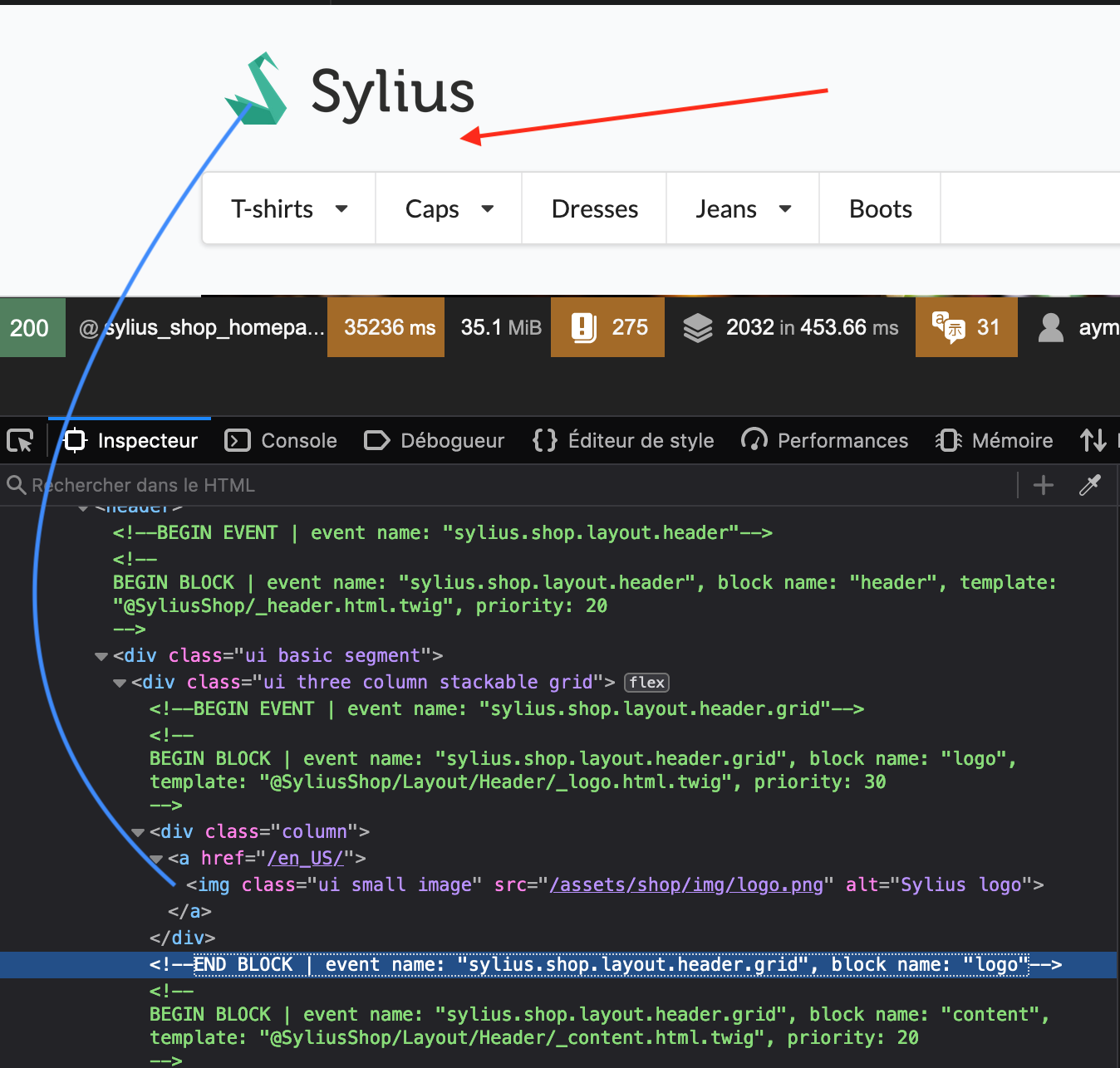
First look for the event that corresponds to us with sylius_template_event orsonata_block_render_event
Creation of the file templates / block.html.twig with content
<h1> Test Block Title </h1>then open the file config/packages/sylius_ui.yaml
sylius_ui:
    events:
        sylius.shop.layout.header.grid:
            blocks:
                my_block_name: 'block.html.twig'
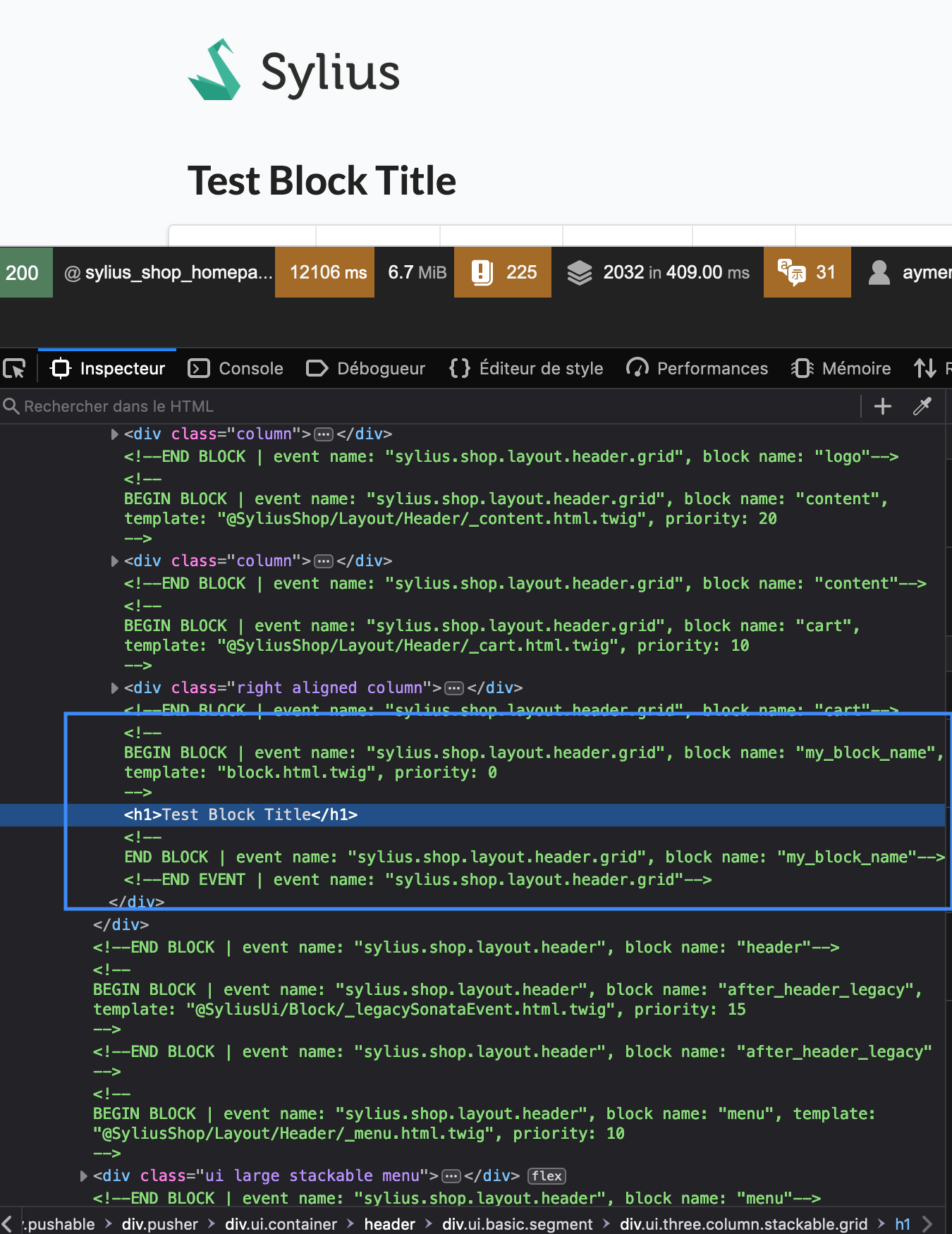
And now we have our block added just after the logo, in the block sylius.shop.layout.header.grid
That's all!